Invyt.App Team
April 3, 2026
9 min read
25 ready-to-use wedding RSVP wording examples for formal, casual, digital, and multi-event weddings. Copy-paste templates for paper cards and online RSVPs.
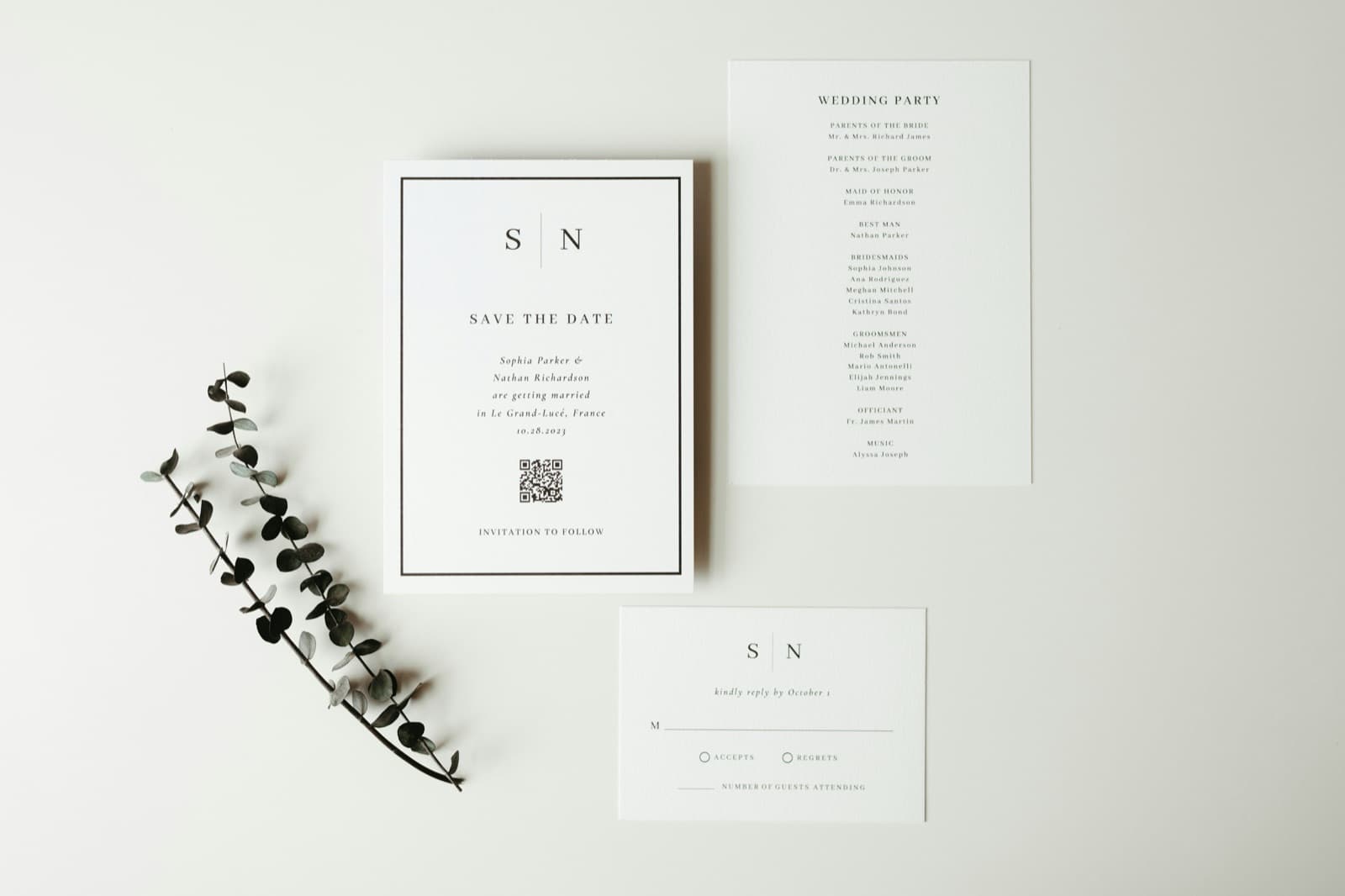
Photo by Pexels
Planning an event?
Invyt handles your RSVPs so you can focus on the celebration — not the spreadsheet.
Try Invyt free →Your RSVP card does one job: get a clear yes or no from your guests, plus any information you actually need. That's it.
Most couples overthink wedding RSVP wording and end up with cards that are either stiff and confusing ("Kindly respond by the fourteenth day of October...") or so casual guests don't realize it's a formal request. The 25 examples below cover every situation you're likely to face: formal, semi-formal, casual, digital, multi-event, plus dietary and decline wording.
Pull what works, adapt what doesn't, and get your invitations out.
Before the examples, a quick checklist. A functional RSVP card needs:
If you're sending a paper card, add return postage. Response rates drop 15-20% when guests have to find a stamp. According to The Knot's 2025 Real Weddings Study, 74% of couples now use a wedding website with online RSVP (up from 53% in 2020), and a big reason is how much simpler it makes this checklist.
For digital RSVPs, the "how to respond" becomes a link or QR code. If you're using a platform like Invyt, guests click the link, fill in their details, and their response goes directly into your dashboard — no transcribing handwritten cards required. Our complete guide to online wedding RSVPs walks through the full setup if you want a deeper look.
Traditional invitations call for traditional response cards. These use full sentences, no contractions, and avoid any casual language.
Example 1: Classic formal
Kindly reply by October 14, 2026
___ Accepts with pleasure ___ Declines with regrets
Name(s): _______________________
Example 2: Formal with meal choice
Please respond by September 30, 2026
Name(s): _______________________
___ Will attend ___ Unable to attend
Meal preference: ___ Chicken ___ Fish ___ Vegetarian
Example 3: Formal, third person (very traditional)
___ accepts with pleasure ___ declines with regrets
Please reply by the first of October
Example 4: Formal with dietary note
Kindly reply by October 1, 2026
Name(s): _______________________
___ Joyfully accepts ___ Regretfully declines
Dietary restrictions or allergies: _______________
Most weddings fall here: polite and clear, without the stiffness of third-person wording.
Example 5: Clean and direct
Please RSVP by September 15
Name(s): _______________________
___ Attending ___ Not attending
Example 6: With meal selection
Reply by: October 1, 2026
Name(s): _______________________
___ Yes, we'll be there! ___ Sorry, we can't make it
Entrée: ___ Beef ___ Salmon ___ Vegetarian
Any dietary needs? _______________
Example 7: With plus-one prompt
Please respond by September 20
We have reserved ___ seat(s) for you
___ Will attend ___ Regrets
Guest name(s): _______________________
Example 8: QR code card for digital RSVP
Please RSVP by October 1
Scan the code below or visit: invyt.app/invite/your-event-link
[QR CODE]
Linking to a digital RSVP this way cuts your manual data entry to zero. Guests scan, click, and respond in under two minutes.
If your wedding is relaxed (backyard, destination, intimate dinner), the formal wording will feel out of place. These land better.
Example 9: Friendly and direct
Can you make it?
Name(s): _______________________
___ Absolutely! ___ So sorry, I can't
Example 10: Playful
Will you be joining us?
___ Wouldn't miss it ___ Can't make it this time
Name(s): _______________________
Example 11: Very casual (destination wedding, friend group)
Are you in?
Name(s): _______________________
___ Yes! ___ No (I'll celebrate from afar)
Example 12: With food and fun
RSVP by August 15
Name(s): _______________________
___ See you there! ___ We'll be there in spirit
Dinner choice: ___ Short rib ___ Lemon pasta ___ Veggie option
Song request for the dance floor: _______________
The song request line is optional but guests love it, and it gives your DJ a useful head start.
When you're directing guests to an online RSVP instead of including a paper card, the invitation needs a line that explains this clearly.
Example 13: In the invitation body
Kindly respond by October 1, 2026 invyt.app/invite/sarah-and-james
Example 14: With brief instruction
Please RSVP online by September 15: invyt.app/invite/your-link
Scan the QR code on the back or visit the link above.
Example 15: For WhatsApp or text-based invitation
We'd love to have you celebrate with us! Please RSVP by September 30 at the link below — it only takes a minute: invyt.app/invite/your-link
Example 16: Email invitation
To confirm your attendance, click the RSVP button below by October 1. You'll be able to choose your meal and add your guest's name — it takes about two minutes.
Digital RSVPs give you one significant advantage over paper cards: you can see response rates in real time and send reminders to anyone who hasn't responded. If you're 10 days from your deadline and 40% of guests haven't answered, one click sends them all a nudge.
If your wedding includes multiple events (ceremony, cocktail hour, rehearsal dinner, welcome party, post-wedding brunch), the single RSVP card gets complicated fast.
Paper cards for multi-event weddings usually look like this:
Example 17: Multi-event paper card
Please respond by September 15
Name(s): _______________________
Welcome Dinner (Friday, Oct 3): ___ Attending ___ Not attending
Ceremony & Reception (Saturday, Oct 4): ___ Attending ___ Not attending
Farewell Brunch (Sunday, Oct 5): ___ Attending ___ Not attending
For Indian, Jewish, or other multi-ceremony weddings with 4-7 separate events, paper cards become genuinely unmanageable. A digital RSVP handles this much better: guests see each event listed and indicate attendance per event. Invyt was built specifically for this: each ceremony gets its own RSVP, and you see separate headcounts per event on one dashboard. (See our full Indian wedding planning checklist for how to structure multi-event RSVPs across 5-7 ceremonies.)
Example 18: Digital prompt for Indian wedding
We're celebrating across four events and would love for you to join us for as many as you can.
Please indicate which ceremonies you'll attend: invyt.app/invite/riya-and-arjun
RSVP by August 20
If you're the guest who needs to decline, these phrases help you do it graciously. Our walkthrough on how to fill out a wedding RSVP card covers the rest of the reply card from the guest's side, including that puzzling "M___" line and what to do about meal choices.
Example 19: Formal decline
Regretfully declines
Example 20: Semi-formal with warmth
Unable to attend, but wishing you both a wonderful celebration
Example 21: Casual
So sorry, we can't make it — congratulations to you both!
Example 22: With personal note space
Cannot attend ( )
Note: _______________
Adding a small note line on your card invites guests to leave a message, which most appreciate.
If you're serving a plated meal or need accessibility information for your venue:
Example 23: Dietary restrictions
Dietary restrictions or allergies: _______________ (Please note any requirements so we can accommodate you)
Example 24: Meal selection with dietary note
Entrée choice: ___ Beef ___ Salmon ___ Vegetarian
Please note any allergies: _______________
Example 25: Accessibility needs
If you require accessibility accommodations, please note here:
or contact us at: events@youremail.com
Set your deadline 3-4 weeks before the wedding. That gives you:
If your venue or caterer needs a final count 4 weeks out, push the deadline to 5-6 weeks before the date and build in an earlier reminder cadence.
For digital RSVPs with automated reminders, you can set the deadline 2-3 weeks out without the manual follow-up burden. The platform handles the nudges.
Skipping the names line. Guests assume you know who they are. You don't. A blank line for names is not optional.
No deadline. "Kindly respond at your earliest convenience" produces responses scattered over six weeks. Put a date.
Too many questions. If you need meal choice, dietary restrictions, plus-one name, accessibility info, and a song request, your guests are filling out a form. Keep it to what you actually need.
Unclear response options. "___ Yes / ___ No" is clear. "___ Will be in attendance / ___ Sends regrets but will be thinking of you" is ambiguous to guests who are skimming.
If you're going digital, the process is straightforward. Create a free event on Invyt, add your event details and guest list, and you get a shareable link and QR code. Guests respond online; you track everything from one dashboard. Takes about five minutes to set up.
For multi-event weddings (any celebration with a mehndi, sangeet, rehearsal dinner, welcome party, or separate ceremony and reception), the multi-event RSVP is the main reason to go digital. Managing separate headcounts for five events via paper cards is genuinely painful. If you're still evaluating tools, see our wedding RSVP tracker for a full feature overview, our comparison of free online RSVP tools, and wedding guest list management guide.
Keep reading: save the date vs wedding invitation · wedding plus-one etiquette · average wedding cost breakdown for 2026 · how to create a wedding RSVP website
Send invitations (with RSVP cards or link) 6-8 weeks before the wedding for local guests, 10-12 weeks for destination weddings. Set the RSVP deadline 3-4 weeks before the date. For guidance on when save-the-dates go out vs formal invitations and what each should say, see save the date vs wedding invitation.
At minimum: guest name(s), attending or not, and any meal preference or dietary restrictions. For multi-event weddings, add which events they'll attend. Only ask for what you'll actually use. Every extra field reduces response rates.
Print "We have reserved ___ seat(s) for you" with the number filled in, then add a line for their guest's name. This prevents uninvited guests and collects the name you need for seating. For the full decision framework on who gets a plus-one and how to communicate the policy, see wedding plus-one etiquette.
Paper cards produce slower responses, require manual data entry, and cost $1-2 per guest including return postage. For a full picture of how invitation and stationery costs fit into your overall budget, see our average wedding cost breakdown for 2026. Digital RSVPs are free, give real-time tracking, send automated reminders, and collect dietary and plus-one information automatically. About 74% of couples now use online RSVPs for at least part of their guest management, per The Knot's 2025 Real Weddings Study. See our how to create a wedding RSVP website guide for a step-by-step setup walkthrough.
Yes, and it's a common approach. Send paper invitations with a QR code linking to the digital RSVP. Older guests can mail the card; everyone else scans the code. The responses come in through both channels and you reconcile them in your guest list.
You got the invitation and now there's a small card with a blank line starting with the letter M. Here's exactly what to write, line by line, plus copy-paste replies for every situation.
Online wedding RSVPs save you hundreds of dollars on paper cards, give you real-time attendance tracking, and spare your guests the stamp hunt. Here's how to set one up the right way.
From black-tie formal to barefoot-at-the-beach casual, 60+ copy-ready wedding invitation wording examples for every style, plus tips for tricky scenarios.
Join thousands of event organizers who trust Invyt for seamless guest list management
Get Started Free