Invyt.App Team
July 10, 2026
6 min read
How to create and send digital birthday invitations for any age, track RSVPs automatically, and skip the group-chat guest count guessing game.
Planning an event?
Invyt handles your RSVPs so you can focus on the celebration — not the spreadsheet.
Try Invyt free →A digital birthday invitation is a shareable link to a web page with your party details and an RSVP form built in. Guests tap it, confirm or decline, and their response lands on a dashboard you control, instead of scattered across three different text threads and a Facebook event nobody checks.
That's the whole pitch. No paper, no stamps, no printing forty invitations for a kid's party where half the guests will cancel anyway. You build the page once, share it everywhere your guests already are, and watch responses come in without asking twice.
This guide covers how digital birthday invitations actually work, how to set one up for any age, and the mistakes that turn a five-minute setup into a week of chasing headcounts.
Quick summary: Setting up a digital birthday invitation with RSVP tracking takes about five minutes and costs nothing on Invyt. Create one free or keep reading for the full walkthrough.
You create an event page with the basics: whose birthday, date, time, location, and any details guests need (theme, dress code, gift preferences, whether kids are welcome). The page includes an RSVP form where guests submit their response and anything else you're asking for, like a meal choice or how many people are coming with them.
Once it's live, you share the link. That's the entire distribution step. No printing, no addresses, no waiting on the mail.
What you get on your end:
Compare that to the group-chat approach, where "yes" responses get buried between memes and someone always asks "wait, is this still happening?" three days before the party.

A group chat mixes RSVPs with logistics chatter, jokes, and the inevitable person who responds with a thumbs-up emoji that could mean anything. You end up scrolling back through fifty messages trying to figure out if Sarah's a yes or a maybe.
Facebook Events technically has an RSVP button, but response rates have dropped as fewer people check the platform daily, and the interested/going distinction rarely maps to who actually shows up. Neither option gives you dietary notes, plus-one names, or a clean way to see who's still pending.
A dedicated invitation page fixes all three problems at once: one link, one form, one dashboard.
The mechanics are the same across ages. What changes is what you're asking for.
Kids' birthday parties. Ask directly how many children are attending and whether a parent is staying, since drop-off versus stay-and-watch changes your chair count and snack budget. Note the venue's age range if it's a trampoline park or arcade with height restrictions.
Teen birthdays. Skip the RSVP-to-a-parent step if the teen is old enough to manage their own responses, but still collect an emergency contact if the venue requires one. Sweet 16s and quinceañeras often run as multi-part events (ceremony plus reception), which is where a single link that lets guests RSVP to each part separately saves you from building two separate invitations.
Adult birthdays and milestone parties. These tend to carry more detail: dress code, plus-one policy, gift registry link if you're doing one. A milestone birthday (30th, 40th, 50th) often has a bigger guest list pulled from work, family, and old friend groups who don't overlap, which is exactly when a scattered group-chat approach breaks down fastest. Our milestone birthday ideas guide and milestone birthday RSVP tracker cover the format and logistics decade by decade.
Surprise parties. Send the link only to invited guests, never into a shared group the guest of honor might see. Tell guests to arrive 15-20 minutes before the stated time, and say so plainly in the invitation notes rather than trusting word of mouth to carry that detail accurately. Our surprise birthday party planner is built around keeping the guest list private.
For wording that fits each of these scenarios, our birthday invitation wording guide has 40 ready-to-copy examples by occasion.
Five things, minimum:
Optional but genuinely useful additions: dietary restriction field, gift registry or "no gifts" note, parking instructions, and a photo or theme graphic so the page doesn't look like a bare form. Hosting any of it over video changes how the invitation has to read, and the virtual baby shower invitation wording examples cover the join link, time zones and gift questions in a way that transfers almost directly to a remote birthday.
The single biggest upgrade over paper or group-chat invitations is the dashboard. Instead of mentally tracking who said yes across five different conversations, you see it in one place: accepted, declined, pending.
For kids' parties specifically, the headcount matters more than most hosts expect going in. "20 kids invited" can mean anywhere from 20 to 35 people once siblings and parents who are staying get counted. A form field that asks for exact numbers per household closes that gap before it becomes a seating problem on the day.
When the RSVP deadline passes and a handful of people are still pending, most digital tools let you send a single reminder to just those guests rather than pinging your entire list again. That alone saves the awkward "hey, did you get my invite?" text to twelve different people.
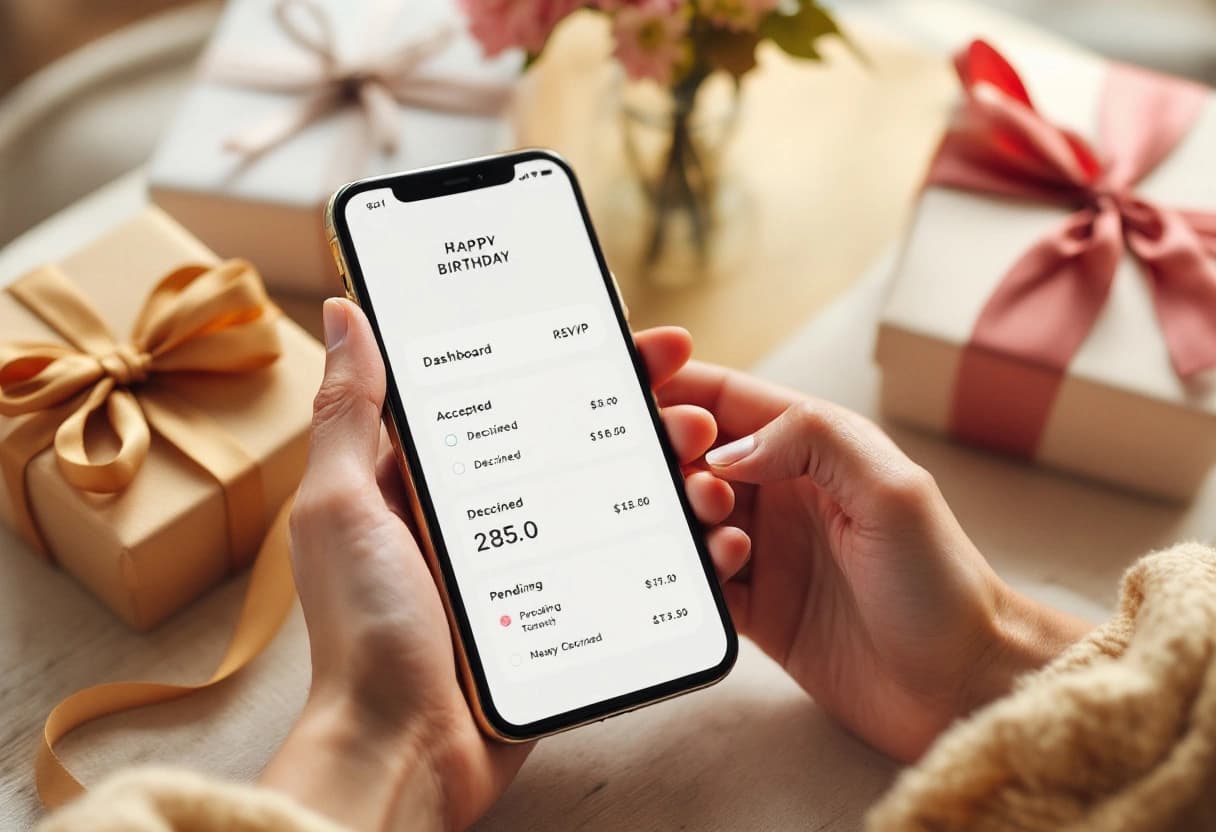
Building your first digital birthday invitation on Invyt takes about five minutes: create the event, add the details, pick a look, and share the link. Start one free. Our birthday RSVP tracker shows how the accepted/declined/pending dashboard works in practice, and our kids' birthday party page has ideas tailored to a younger crowd if that's what you're planning.
If you're managing a longer guest list across multiple invitations a year, our guest list management guide covers habits that carry over from wedding planning to any recurring event, birthdays included.
Yes. Tools like Invyt let you create an event page, add your guest list, and collect RSVPs at no cost. Paid tiers exist for extras like custom themes or removing platform branding, but the core invitation and RSVP tracking is free.
Share the invitation link directly through WhatsApp, text message, or email rather than posting it in a group chat. A group chat buries RSVPs in unrelated messages and the guest of honor may see it if it's a surprise. A dedicated link keeps every response in one dashboard.
Yes, and they solve a specific kids'-party problem: headcount confusion from siblings and plus-ones. A digital RSVP form can ask directly how many children are attending and whether parents are staying, so you get an exact count instead of a guess from a text thread.
A proper digital invitation tool shows accepted, declined, and pending responses on one dashboard, so you can see at a glance who's left to chase. Most platforms also let you send a one-tap reminder to pending guests instead of texting each person individually.
Yes, with one adjustment: send the link only to the guests you want at the surprise, and make sure the RSVP page doesn't get shared into a group the guest of honor is part of. Keep the actual arrival time 15-20 minutes earlier than the time you tell guests, and note that in the invitation details.
40 ready-to-copy birthday party invitation wording examples for kids, teens, adults, milestone birthdays, and surprise parties. Grab one and send.
Milestone birthdays deserve more than a generic party. Here's how to plan a 30th, 40th, 50th, or 60th that actually fits the person turning it, decade by decade.
A home party for 15 guests can run $200. The same party for 100 guests can hit $4,000. Here's exactly where the money goes at each guest-count tier, with real cost tables.
Join thousands of event organizers who trust Invyt for seamless guest list management
Get Started Free