QR Code Wedding Invitations: How to Use Them in 2026
49% of couples now add QR codes to wedding invitations. Here's how to size them, what to link to, and the mistakes that make guests give up.
Planning an event?
Invyt handles your RSVPs so you can focus on the celebration — not the spreadsheet.
Try Invyt free →QR Code Wedding Invitations: How to Use Them in 2026
QR code wedding invitations have moved from novelty to standard practice fast. In 2026, 49% of couples include a QR code on their save-the-dates or invitations, up from 38% in 2023 and just 20% in 2022. The format works: a scan takes four seconds, a mailed response card takes a week (if it arrives at all).
The concept is simple. You print a scannable code on your paper invitation that routes guests directly to a digital RSVP page. They confirm attendance, note dietary restrictions, add their plus-one, all from their phone in under two minutes. You see responses in real time without chasing anyone.
This guide covers the specifics: what to link to, where to put the code, how large it needs to be, and the mistakes that cause guests to give up before they finish.
What a QR Code Wedding Invitation Actually Is
A QR code wedding invitation is a paper invitation (or digital image) that includes a scannable QR code linking guests to a digital destination, most often an RSVP form, a wedding website, or both.
The hybrid format is the standard approach in 2026. Couples keep the tactile elegance of printed stationery and route guests to a digital RSVP system that tracks responses automatically. The QR code is the bridge between the two.
You're not replacing the invitation. You're adding a faster, more reliable response path.
Why Couples Are Adding QR Codes
RSVP response rates improve
Traditional response cards return at roughly 55-70% response rates, even with a pre-stamped envelope included. Digital RSVPs via QR code, when placed prominently, reach 60-80% response rates in the first two weeks, without requiring anyone to find a mailbox.
The friction gap is real. Scanning takes seconds; finding a stamp and envelope does not.
You get live tracking
Every response that comes through a digital RSVP system is logged immediately. You can check your confirmed count from your phone, see who's still pending, and send follow-ups to non-responders without building a manual spreadsheet and updating it by hand.
Tools like Invyt show confirmed attendance, dietary notes, and plus-one details in one view, updated as guests respond. The complete wedding RSVP guide covers how to structure that follow-up process once responses start coming in.
The cost math is straightforward
A traditional response card setup (printed card, envelope, pre-paid return postage) adds roughly $1.50-$2.50 per guest to your stationery budget. For a 150-person wedding, that's $225-$375 just to handle responses. A QR code pointing to a free RSVP tool costs $0.
There's also the paper savings angle: skipping response card inserts eliminates an average of 2-4 kg of paper and cardboard per wedding. If that matters to you, it's a meaningful reduction without any tradeoff on guest experience.
What to Link Your Wedding QR Code To
This is where couples most often go wrong. A QR code that links to your general wedding website homepage is a missed opportunity. Guests have to find the RSVP section, navigate to it, fill out their information, and submit. Each extra step reduces the number of people who complete the process.
Link directly to your RSVP form.
If you're using a dedicated RSVP platform, use that URL as your QR code destination. If your wedding website has a dedicated RSVP page (not just a tab that leads to another page), that works too.
The page guests land on after scanning should have one clear purpose: confirming attendance. A navigation bar with six sections, a photo gallery, and a registry link all competing for attention will cost you response rate.
One more requirement: the destination page must be mobile-optimized. Every guest scanning a QR code is doing it on their phone. Pages that require zooming, horizontal scrolling, or small tap targets will lose older guests immediately. Test it yourself on a mobile screen before your invitations go to print.
How to Create a QR Code for Your Wedding RSVP
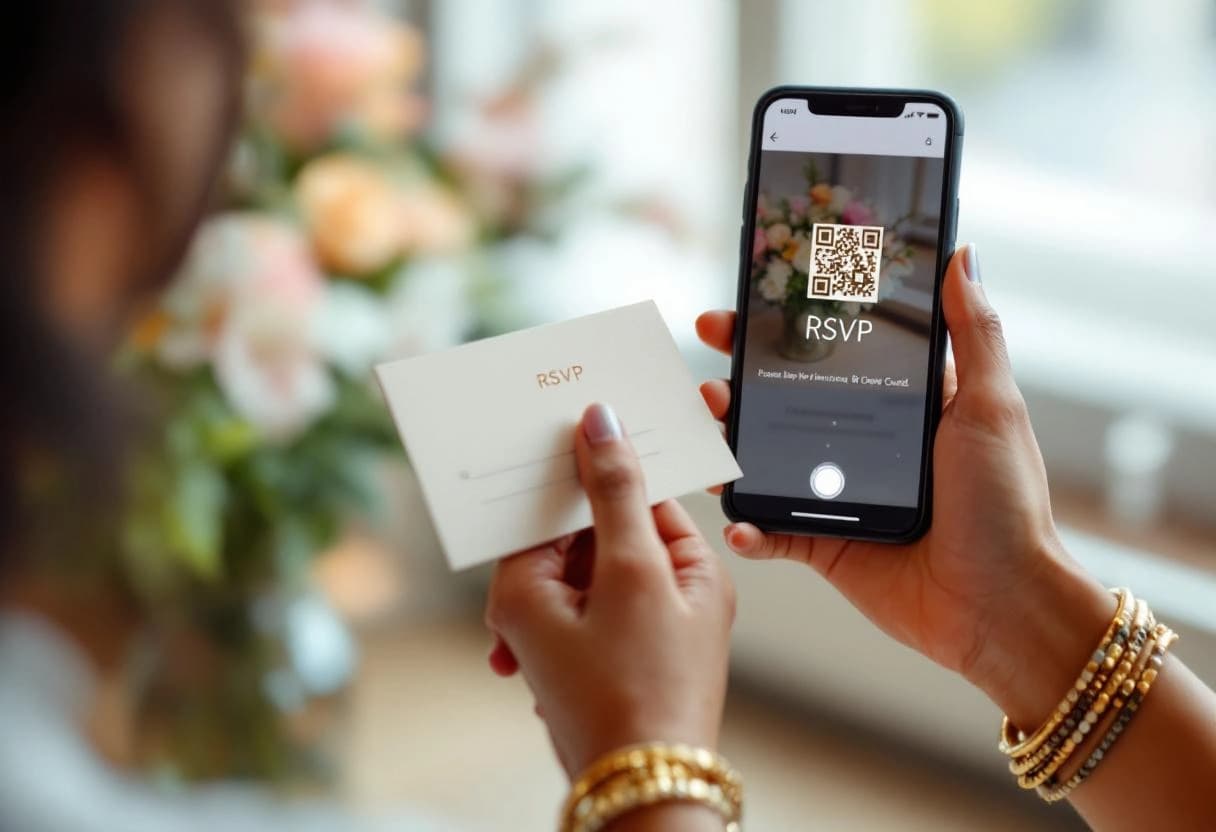
Creating a QR code for your wedding RSVP takes about three minutes and requires no design experience. Here's the full process — and if you want the standalone walkthrough with the print-ready settings, how to create a QR code for wedding RSVPs is the companion how-to.
1. Create your RSVP page first.
A QR code is only a pointer — it's worthless without a live destination. Before you generate anything, set up your RSVP page on a dedicated platform. Invyt creates one automatically when you add your event: date, venue, and any events guests need to RSVP to separately (ceremony, reception, after-party). Once your event is saved, you have a stable URL.
2. Get your QR code from your RSVP platform.
If you're using Invyt, the QR code is already generated for you in the Links tab of your event dashboard. Download it as a PNG. No third-party tool needed.
If your RSVP platform doesn't generate QR codes, use a free generator — our own event QR code generator, or third-party options like QR Code Generator, Uniqode, or QR Code Monkey. Paste your RSVP URL, set the output format to PNG, and download. Keep the colors high-contrast (black on white). Avoid decorative frames that eat into the quiet zone border.
3. Export at 300 DPI minimum.
This is where most people go wrong. A QR code that looks fine on screen can become unprintable when scaled up. When downloading, verify the file is at least 1,000 x 1,000 pixels — that gives you enough resolution to print cleanly at any invitation size. Never scale a small file up; regenerate it at the correct size.
4. Test before you send to print.
Open your phone camera and scan the downloaded PNG on your computer screen. If it resolves to your RSVP page, it's working. Then scan it from a printed test page (print one on a regular printer first). If it fails on any device, the image needs to be larger or the contrast improved.
5. Add the URL as a text fallback.
Print the RSVP URL in small text directly below the QR code. Guests who won't scan — typically older relatives — need a typed URL as their alternative path. Use a URL shortener if the full link is long.
How to Add a QR Code to Your Paper Invitation
Step 1: Set up your RSVP page before generating anything.
The URL your QR code links to must be stable and live before you print. If you switch RSVP platforms, change your domain, or restructure your wedding website after the invitations mail, every code becomes a dead link. Set up your page, confirm it's working on mobile, then generate the QR code. If your invitation is designed in Canva, see how to add RSVP to a Canva invitation — the full setup with screenshots is covered there.
Step 2: Generate the QR code from your RSVP platform.
Most dedicated RSVP tools generate a QR code automatically. Invyt creates one for every event. It links directly to your guest RSVP page, downloads as a PNG, and is ready to send to your printer. If your platform doesn't offer one, free tools like QR Code Generator or Uniqode will create a static code from any URL.
Step 3: Export at 300 DPI.
QR codes printed below 300 DPI become pixelated, and pixelated QR codes don't scan reliably. When downloading the image file, verify the resolution before sending it to your printer. If the exported file is too small, regenerate it at a higher resolution rather than scaling a small file up.
Step 4: Send it to your stationer with exact specifications.
Share the PNG file alongside your invitation design. Specify the placement and printed size. Ask for a digital proof that includes the QR code, and scan the proof yourself before approving the full print run.
Step 5: Test the physical print on multiple devices.
Scan the proof or a test print with at least two different phones, on different models and operating systems. What scans on an iPhone 15 should also work on a mid-range Android in normal lighting. If it fails on any device, the code is too small, the resolution is too low, or it's placed on a background that reduces contrast.
Size and Placement: The Specifics
Minimum size
The minimum printable size for a QR code on an invitation card is 0.8 x 0.8 inches (2 x 2 cm). That's the floor for reliable scanning.
A 1.2 x 1.2 inch code is meaningfully more reliable across different phone cameras, especially in dim lighting at a dining table. Use the 10:1 rule: the code should be at least 1/10th of the maximum scanning distance. If guests will be scanning from 12 inches away, a 1.2-inch code covers that comfortably.
Where to put it
Three placements work well, in order of preference:
Response card. The most intuitive location. Guests are already looking at the response card when deciding how to reply, and a QR code here replaces the card's mailing function cleanly. This is the most common placement and the one that converts best.
Back of the main invitation. Less prominent but clean. Works well if you want to keep the front and inner panels uncluttered.
Separate details card. If you're already including a details insert for directions, accommodation info, or the wedding website, the QR code fits naturally at the bottom of that insert.
Design requirements
Place the code on a plain background. High contrast (black code on white or cream) scans most reliably. A white quiet zone (the blank border surrounding the code) of at least 0.15 inches is required; cutting into that border breaks scanning. Avoid placing the code on patterned paper, colored stock close to the code's own tone, or any textured surface that will break up the pattern under print.
Always print the URL below the code
Print the destination URL in small text directly beneath the QR code. Some guests, particularly older relatives, won't scan a QR code regardless of how prominent it is. Without a typed URL as a fallback, they have no path to RSVP digitally, which means either a paper card you have to manually record or a phone call you have to log by hand.
Use a short URL. If your RSVP link is long, use a URL shortener (Bitly, Short.io) and print the shortened version.
Wording to Include Alongside the Code
The code alone is not enough. You need a short line of instruction that tells guests what they're scanning and why. It needs to be clear, not formal.
On a response card: "RSVP by [date]. Scan to respond online or visit [url]"
On an invitation back: "Kindly reply by [date]. Scan the code to RSVP."
When collecting dietary information: "Please RSVP by [date] and note any dietary needs. Scan the code to respond."
For different tones and formality levels, the wedding RSVP wording guide has examples ranging from formal to casual.
Mistakes That Lose You RSVPs
Generating the QR code before your RSVP page is live. Set up the page first. Always. Printing invitations that link to a 404 error is a problem you can't fix after the envelopes are sealed.
Making the code too small. Under 0.8 inches is unreliable. It might scan in perfect lighting on a current flagship phone. It won't scan on an older Android at a dinner table. Bigger is almost always better.
No fallback URL. A QR code without a printed URL below it excludes guests who won't scan. That's a meaningful portion of most wedding guest lists.
Linking to a page that isn't mobile-optimized. The entire point of a QR code is that guests use it on their phones. A page that doesn't work on mobile defeats itself.
Changing the destination URL after printing. Once invitations are mailed, that code is permanent. Don't switch platforms, change your domain, or restructure pages after that point.
Setting Up the RSVP Page That Makes It Work
The QR code is only as good as the page it links to. A clean RSVP page collects what you need: attendance confirmation, dietary restrictions, plus-one details, without overwhelming guests with a long form.
Invyt builds that page automatically when you create an event. Guests land on a page with your event details and a simple confirmation form, nothing else competing for their attention. You get a shareable link and a downloadable QR code PNG to send to your printer, on the free plan.
Create your wedding RSVP page before you finalize your invitation design. That way you're linking to the live URL from the start, and the QR code you generate is the one that goes to print.
For how the RSVP page fits into the broader invitation and guest management workflow, how to create a wedding RSVP website walks through the full setup.
The Format Is Now Standard
QR codes on wedding invitations aren't a technology statement. They're a practical decision: faster responses, real-time tracking, lower printing costs, and a fallback for guests who miss their RSVP deadline.
Done right, the code is invisible. Guests scan, respond, move on. Done wrong, it creates confusion and extra work for you.
The process is short: set up your RSVP page first, export a 300 DPI code at 1.2 inches, place it on the response card with the URL printed underneath, and test it on multiple phones before approving the print run.
Frequently Asked Questions
Can you put a QR code on a paper wedding invitation?
Yes. Print the QR code at a minimum 0.8x0.8 inches (2x2 cm) at 300 DPI resolution. Place it on the response card, the back of the main invitation, or a separate details card. Always print the URL next to it as a fallback for guests who prefer to type.
What should a QR code on a wedding invitation link to?
Link it to your RSVP page, not your general wedding website homepage. The goal is to capture responses. Every extra click between the QR scan and the RSVP submission reduces completion rates. Tools like Invyt generate a direct link to your RSVP form.
Are QR codes for weddings free?
Yes. Most QR code generators are free for static codes. Invyt generates a QR code for every event at no cost, linking directly to your RSVP page. Download it as a PNG and send it to your printer.
How big should a QR code be on a wedding invitation?
At least 0.8x0.8 inches (2x2 cm) for a printed invitation or response card. A 1.2x1.2 inch code scans more reliably across different phone cameras. Use the 10:1 rule: the code should be at least 1/10th of the expected scanning distance.
Can guests scan a wedding QR code without an app?
Yes. iPhones (iOS 11+) and Android phones (Android 8+) scan QR codes natively through the camera app. No additional app required. Point the camera at the code, hold still for a second, and a link appears on screen.