Invyt.App Team
June 2, 2026
Updated June 18, 2026
16 min read
RSVP tools for wedding planners, reviewed for pros: multi-client dashboards, per-event pricing, WhatsApp sharing, and mobile guest UX compared.

Planning an event?
Invyt handles your RSVPs so you can focus on the celebration — not the spreadsheet.
Try Invyt free →The best RSVP tools for wedding planners are the ones built for managing many clients at once, not one wedding forever. Almost every "best RSVP tool" roundup online is written for a couple planning their own day: one event, a guest list of 150, done. That article is not this article. This one compares the leading online RSVP tools on the things a working planner actually cares about, with refreshed 2026 pricing.
If you manage 10, 20, or 30 weddings a year, you have entirely different requirements: switching between clients quickly, seeing portfolio-level RSVP stats at a glance, not paying $125/month for an RSVP tool you use sporadically between busy seasons, and giving your clients' guests the smoothest possible mobile experience, because a guest fumbling with a clunky RSVP form at 11pm reflects on you.
This review evaluates the leading RSVP tools on five criteria that matter to professionals:
An RSVP tool, also called an RSVP management tool, is a web app that collects guest responses to an event on a shareable page: who is attending, plus-ones, dietary needs, and which sub-events they will join. For planners, the right one tracks all of that across many clients at once and feeds you a clean headcount your caterer can trust. That is a narrower job than full wedding planning software, and the distinction matters more than most roundups admit, which is where the next section comes in.
Before comparing tools, it helps to know which tool you are actually shopping for, because "RSVP tool" and "wedding planner CRM" get used interchangeably and they solve opposite problems.
A wedding planner CRM manages your relationship with the couple. Lead inquiries, proposals, contracts, e-signatures, invoicing, payment reminders, and the project timeline all live here. HoneyBook, Dubsado, and Aisle Planner are CRMs. The data is your business data, and the people in it are your clients.
An RSVP tool manages the couple's relationship with their guests. Invitations, attendance responses, plus-ones, meal choices, sub-event RSVPs, and the final headcount live here. Invyt, RSVPify, and WhiteClover are RSVP and guest tools. The data is the wedding's data, and the people in it are 150 to 300 strangers you will never email directly.
The reason most planners end up running both: a CRM that bolts on a thin guest-list module rarely handles 200 guests across a ceremony, cocktail hour, and reception well, and a dedicated RSVP tool has no business writing your contracts. The data barely overlaps, the users are different, and the workflows are different. One focused tool for each job beats one tool that does both at 60%.
If you want the full stack breakdown, including which CRM to pair with your RSVP tool and the real monthly math, read our guide to wedding planner software for small firms. The rest of this article focuses on the RSVP layer.
Simultaneous event cap is where most tools quietly fail professional planners. A tool might look generous at $39/month until you realize it only supports two active events at once. A planner in the middle of spring wedding season may have 8 clients in various stages of RSVP collection simultaneously.
Multi-client dashboard is different from multi-event. Multi-event means one wedding with ceremony + reception + rehearsal dinner. Multi-client means 12 different couples, each with their own wedding structure. The best tools handle both layers.
WhatsApp sharing is table stakes for planners whose clients have guests in Brazil, India, Mexico, Nigeria, or anywhere outside North America. Over 2 billion people use WhatsApp as their primary messaging app. A "copy link" button that you paste manually is functional. A native share button that formats the message and pre-fills the event link is meaningfully better, and your clients notice the difference.
Per-event vs. flat monthly pricing affects whether you make money or bleed it during slow months. Paying $89–$125/month through January when you have one active client is a real cost. Per-event pricing aligns what you pay with what you bill.
Mobile guest UX is the one most planners underweight until a client complains. You spend hours configuring an RSVP form; your client's 68-year-old aunt opens it on an iPhone SE and gives up because the font is tiny and the submit button is below the fold. Guest experience is a direct reflection of your work.

Invyt was built around the idea that a single wedding is rarely a single event. The Wedding Hub structure lets you create one umbrella for a client that contains ceremony, cocktail hour, reception, rehearsal dinner, and after-party. Each sub-event gets its own RSVP form, guest list, and response tracking.
For a planner with 10 active clients, the dashboard shows 10 wedding cards. Each card expands to show sub-events with individual RSVP counts. You can see, at a glance, that the Garcia-Chen wedding has 87% response rate on the ceremony but only 42% on the rehearsal dinner, then send a targeted reminder in under a minute.
Simultaneous events: Unlimited. Invyt doesn't cap active events.
Multi-client view: Yes. Each client is a separate wedding on the dashboard. No plan limits on number of weddings.
WhatsApp sharing: Native. Every event has a dedicated WhatsApp share button that formats a pre-written message with the RSVP link.
Pricing: Free to start. Premium features (CSV export, dietary summary export, guest list copy) are unlocked per-event, not per account. A planner billing premium features back to clients on a per-event basis can pass the cost through cleanly.
Mobile guest UX: Mobile-first by design. The guest RSVP page is built for phones: large tap targets, auto-scroll to next question, confirmation screen optimized for a 390px viewport.
What it doesn't do: Invyt is RSVP and guest management, not full wedding planning software. It won't replace HoneyBook for contracts or Aisle Planner for day-of timelines. Think of it as the dedicated RSVP layer that plugs into whatever you already use.
Try Invyt free, no credit card required
RSVPify is the most feature-rich pure-RSVP tool on the market. The form builder handles conditional logic that other tools can't touch: if a guest selects "Vegetarian," show the vegan sub-option; if attending the rehearsal dinner, show the shuttle preference question. For planners managing large corporate-adjacent weddings with complex catering requirements, this logic depth is genuinely valuable.
The guest-facing experience is polished, and the reporting exports are thorough.
Simultaneous events: The Plus plan at $125/month supports 5 active events (and 500 registrations per month, 500 invited guests per event). The Professional plan at $409/month lifts those limits to 1,500 registrations with advanced branding and integrations. For planners managing 6-15 active clients, the jump from $125 to $409 is a real budgeting cliff.
Multi-client view: Each event is separate on the dashboard, but there's no concept of a "wedding portfolio" or parent organization for a single couple's multi-day events.
WhatsApp sharing: No native integration. You copy the RSVP link and share it manually.
Pricing: $125/month (Plus) or $409/month (Professional), billed monthly. Annual billing brings these down to roughly $89 and $299/month respectively. According to RSVPify's pricing page, the Business & Nonprofit tier is separate from personal event pricing, and the 5-event cap on Plus is the figure planners trip over.
Mobile guest UX: Good. Responsive design, clean forms. Not as mobile-optimized as Invyt's guest pages but functional.
Bottom line for planners: RSVPify is excellent if you need deep form logic or have a very high-volume operation that justifies the Professional tier. At the Plus level, the 5-event cap will bite you in peak season.
Zola and The Knot are designed for couples, not planners. Accounts are structured around a single couple's wedding: registry, website, and RSVP all tied to one event.
Some planners create client accounts on these platforms and manage them on behalf of the couple. Zola's RSVP features are solid: conditional logic, per-event RSVP within a wedding weekend, dietary questions, and guest grouping. The Knot's guest list manager integrates well with seating chart tools.
The professional workflow problem: you're logging in and out of separate couple accounts constantly. There's no planner-level dashboard showing all your clients at once. You're also dependent on each couple sharing login credentials with you, which creates friction.
Both platforms are free, which makes them attractive for budget-conscious clients. For planners who want a unified view of their portfolio, they're a workaround, not a solution.
WhiteClover is purpose-built for professional wedding planners and offers a single wedding planner dashboard across multiple clients with RSVP tracking, guest counts, and seating. From one screen you see RSVP progress, pending tasks, and who still needs a reminder for every client wedding. It's the closest competitor to Invyt's multi-client approach.
The notable 2026 change: WhiteClover now leads with a free tier (website builder, RSVP, guest list, seating chart, budget tracker, email and SMS invitations), no credit card required. That makes it genuinely worth a look for planners who want a portfolio view at no cost. The platform leans broad rather than deep, so RSVP and guest features come bundled inside a wider planning suite. If you only want a focused RSVP layer you're managing more surface area than you strictly need, and there's no native WhatsApp share button.
Planning Pod is event-management software aimed at firms and venues running many events. RSVP management is one component of a larger suite that includes client communication, contracts, payments, and vendor coordination.
Pricing starts at $74/month for the Event Management Planner plan (capped at 10 events), with Business at $109/month (25 events) and Enterprise at $159/month (50 events), per Planning Pod's pricing page. For a solo planner or small studio, paying for the full suite purely to collect RSVPs is hard to justify, and the lower tiers' event caps can bite. For a firm with 3-plus planners and 50-plus events per year, it makes sense as a complete platform.
Aisle Planner is the most wedding-specific platform here, blending a planner CRM (leads, proposals, contracts, invoicing) with timelines, budgets, a client portal, and guest management in one place. It sits on the CRM side of the line more than the pure-RSVP side, but its guest module does cover RSVP tracking.
Pricing is project-based: $59.99/month for up to 15 projects, $89.99/month for 16 to 25, $129.99/month for 26 to 50, and $189.99/month for 51 to 100, with unlimited users on every tier, per Aisle Planner's pricing page. The all-in-one appeal is real, but the guest-facing RSVP experience on phones is not its strength, and planners who switch away often cite dietary data being hard to surface. Better as your CRM than as your dedicated RSVP layer.
A planner managing 20 weddings a year with an average of 3 active events per client at any given time has, at peak, 10-15 active RSVP pages running simultaneously.
RSVPify Plus (~$89/mo annual = ~$1,068/year): Caps at 5 simultaneous events. Doesn't cover peak load unless you upgrade to Professional.
RSVPify Professional (~$299/mo annual = ~$3,588/year): Lifts the volume limits for high-throughput operations. You're paying close to $3,600/year for RSVP management alone, before accounting for whatever planning software you already use.
Invyt (free base + per-event premium): Free for basic RSVP tracking. Per-event upgrade covers CSV export, dietary summary export, and guest list tools. A planner can pass the per-event cost through to clients as a line item, or absorb it at a fraction of the flat monthly cost.
For planners billing premium features back to clients, per-event pricing is the more honest model anyway.
Plenty of planners start with a free RSVP tool, and for a slice of your client list that is the right call. Here's the honest version of what the free tiers actually allow, so you don't get surprised mid-season.
Invyt (free, unlimited events): Create and run as many client weddings as you want at no cost. Free covers RSVP collection, multi-event Wedding Hubs, guest list management, search and filter, QR codes, and native WhatsApp sharing. The per-event upgrade is only for the heavier back-office features (CSV export, dietary summary export, full guest-list copy). For a planner, the meaningful line is that the free tier is not event-capped, so peak season never forces a subscription decision.
WhiteClover (free planner tier): A real free portfolio dashboard across clients, with RSVP, guest list, seating, and a website builder. The catch is breadth over depth and no native WhatsApp button. Good if you want one free tool that also touches budgets and seating.
Zola and The Knot (free, couple-scoped): Both run genuinely capable free guest list managers with RSVP tracking, meal choices, and reminders. The limit for pros is structural, not financial: everything is tied to a single couple's account, so there's no planner-level view across clients and you rely on shared logins.
Google Forms or a spreadsheet (free, but not really a tool): Workable for a 30-person event. For a 200-guest multi-event wedding it collapses fast: no plus-one logic, no reminders, no per-event headcount, no guest-facing polish. Most planners outgrow it by their second client.
The honest takeaway: a free RSVP tool is a fine starting point, and Invyt's free tier is built to stay your tool as you scale rather than a trial you graduate out of. You only ever pay per event, and only when a specific wedding needs the export-grade features. Compare every free option side by side in our free online RSVP tools comparison.
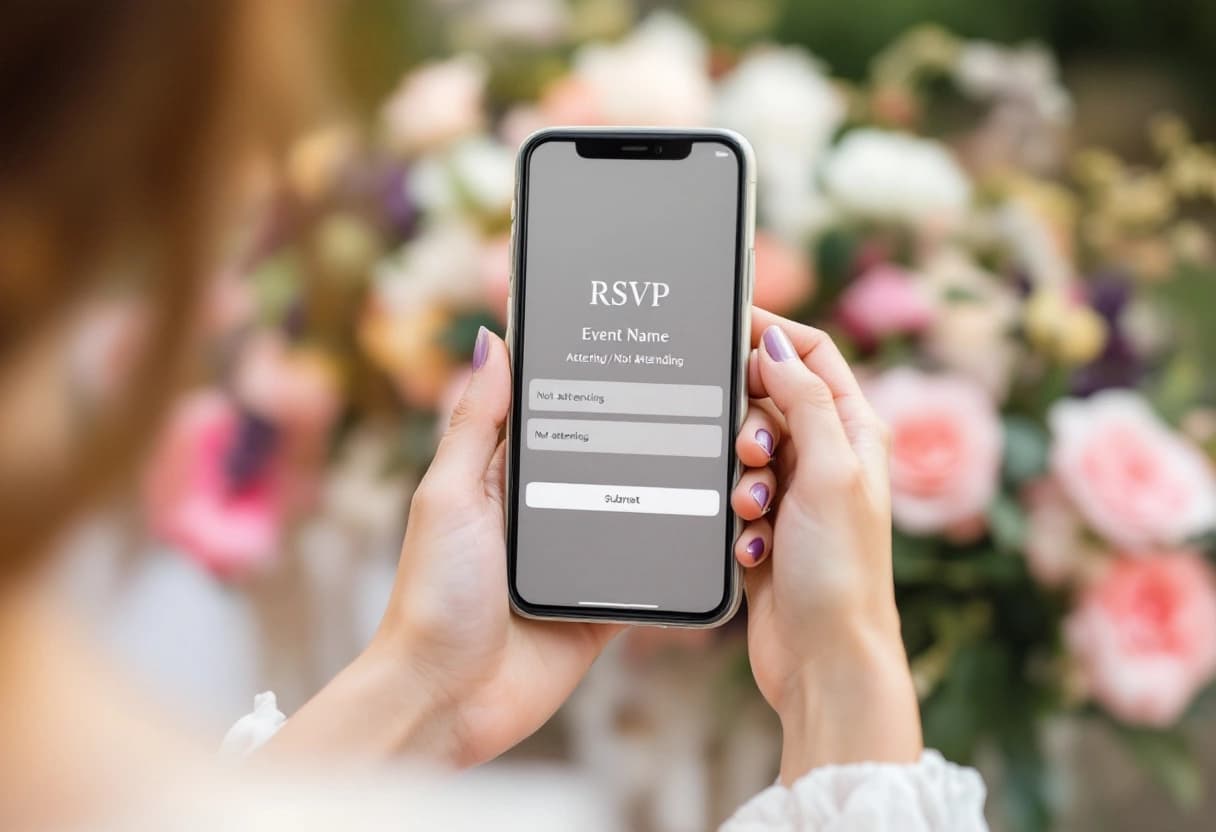
Here's a practical test: send yourself the RSVP link, open it on your phone with a weak 4G connection, and complete it as a guest who's never used the platform. Time yourself.
On Invyt, the guest flow is: tap link, see event details, scroll to RSVP form, tap your name, select attending/not attending, optionally add a dietary preference, submit. Confirmation screen. Total time under 90 seconds on a slow connection.
The friction points that show up on other platforms: slow page loads, forms that require account creation (guests hate this), multi-page flows where you lose progress if you close the tab, and submit buttons that only appear after scrolling past mobile ads.
Guests don't tell you about their bad RSVP experience. They just don't RSVP. You see it in the response rate.
For planners with clients sending invites via WhatsApp to guests across multiple countries, mobile performance on mid-range Android phones matters. An RSVP form that loads in 2 seconds in São Paulo is a different product from one that takes 7 seconds.
A planner has a wedding weekend: rehearsal dinner on Friday, ceremony and reception on Saturday, Sunday brunch.
On Zola or The Knot, you create the main event and add sub-events within the wedding website. Guests get one form with checkboxes for each event. Manageable, but reporting gives you totals per event rather than filterable guest-by-event lists.
On RSVPify, you create separate forms linked from one master event, with conditional logic controlling which questions appear. Powerful, but you're managing 3 separate forms.
On Invyt, you create a Wedding Hub for the client, add ceremony + reception as one package, add rehearsal dinner as a sub-event, add the brunch. Each sub-event has its own RSVP link, guest list, and response dashboard. The planner dashboard shows the client card with a summary across all four events. You share sub-event-specific links to the right guest groups: the Friday link goes to 40 people, the Saturday link goes to everyone.
See a full walkthrough in our online wedding RSVP complete guide. For the full planner stack including which CRM to pair with your RSVP tool, read wedding planner software for small firms. For a broader look at planning software, see our top wedding planning apps roundup. For a workflow-level look at managing multiple client weddings simultaneously, managing RSVPs for multiple wedding clients covers the triage approach in detail.
Solo planner, under 10 weddings/year: Invyt free tier covers the basics. Add the per-event upgrade when a client needs CSV or export features. Total annual cost: likely under $150.
Growing studio, 10-25 weddings/year, peak of 8-12 active RSVPs: Invyt handles this without a monthly ceiling. RSVPify Plus would leave you event-capped at exactly the wrong time.
Established firm, 25+ weddings/year, 3+ planners: Planning Pod or Aisle Planner makes sense if you want RSVP bundled into a complete planning suite, or pair a CRM with a dedicated RSVP tool to keep each job sharp. At this volume you're likely already paying for planning software and just need the RSVP layer to integrate.
If you're currently managing client RSVPs through spreadsheets and copied invitation links, any of these tools represents a step change. The question is which one matches your growth trajectory without over-investing in software complexity you won't use.
For most independent wedding planners looking for a dedicated RSVP tool that handles multi-event weddings and scales with a growing client portfolio, Invyt is the strongest free-to-start option available.
For planners managing multiple clients, Invyt stands out for its Wedding Hub (multi-event per client), free-to-start per-event pricing, and native WhatsApp sharing. RSVPify is powerful but caps active events at 5 on its $125/month Plus plan.
Invyt's dashboard shows each client as a wedding card with expandable sub-events (ceremony, reception, rehearsal dinner). WhiteClover also offers a multi-client planner view, now with a free tier. RSVPify lists events separately with no portfolio layer.
Costs range from $0 (Invyt and WhiteClover free tiers) to $409/month (RSVPify Professional). Per-event pricing suits planners with variable workloads. Flat monthly subscriptions make sense at 15-plus active weddings a year.
Yes. Invyt is free to start with unlimited events and per-event premium upgrades. WhiteClover offers a free planner dashboard across clients. Zola and The Knot guest list managers are free but couple-scoped, with no planner-level portfolio view across clients.
Usually both. A wedding planner CRM (HoneyBook, Dubsado, Aisle Planner) manages your client relationship: proposals, contracts, payments. An RSVP tool manages the couple's guests: responses, dietary data, headcounts. The data and users barely overlap, so most pros run one focused tool for each.
Invyt has native WhatsApp sharing built into every event. Most other tools generate a shareable link you paste manually into WhatsApp. Functional, but not the same as a dedicated share button that pre-fills the message and RSVP link.
We tested 8 free RSVP platforms so you don't have to. Here's what each one does well, where they fall short, and which tool fits your specific event.
Small wedding planning firms are spending $330+/month on fragmented tools. Here's the honest breakdown: which 4 tools matter, what each one actually does well, and the lean stack that costs under $60/month.
Online wedding RSVPs save you hundreds of dollars on paper cards, give you real-time attendance tracking, and spare your guests the stamp hunt. Here's how to set one up the right way.
Join thousands of event organizers who trust Invyt for seamless guest list management
Get Started Free